The Big Picture
Understand what happens behind one click—and build the mental map that connects frontend, mobile, backend, databases, APIs and cloud.
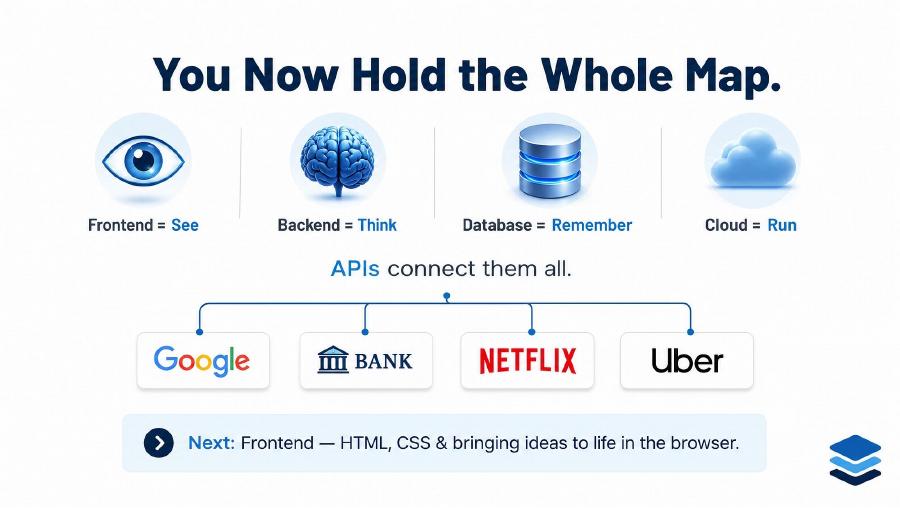
Full stack in one line.
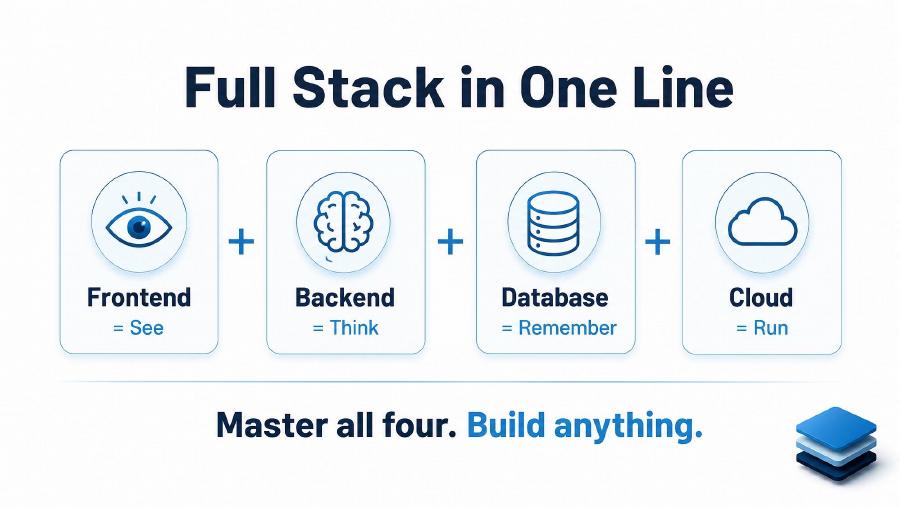
Frontend = See
Presentation, interaction and client-side state.
Backend = Think
Rules, security and coordination.
Database = Remember
Durable state, relationships and retrieval.
Cloud = Run
Compute, networking, scaling and operations.
Most digital products share one universal skeleton.
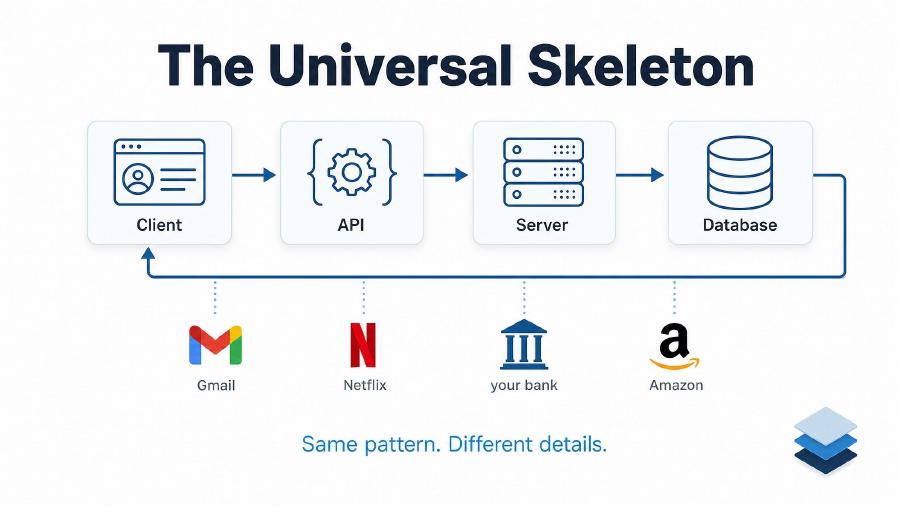
| Part | Meaning | Examples |
|---|---|---|
| Client | Initiates the interaction | Browser, mobile app, another service |
| API | Defines the permitted contract | REST endpoint, gRPC method |
| Server | Executes trusted logic | Java, Node.js, Python, .NET |
| Database | Preserves business state | PostgreSQL, MongoDB, Redis |
The restaurant analogy makes the boundaries visible.
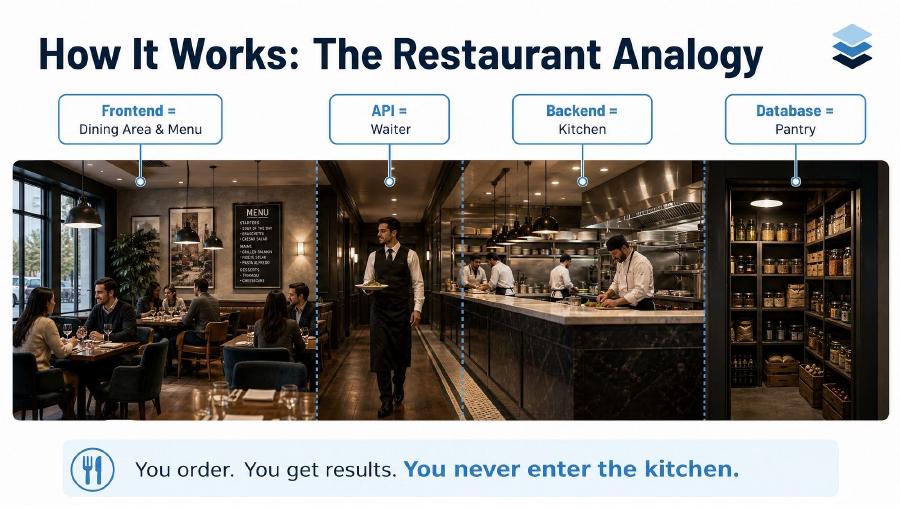
| Restaurant | Software | Responsibility |
|---|---|---|
| Dining area and menu | Frontend | What the customer sees and uses |
| Waiter | API | Carries structured requests and responses |
| Kitchen | Backend | Executes rules and prepares results |
| Pantry | Database | Stores ingredients and records |
What happens when you open google.com?
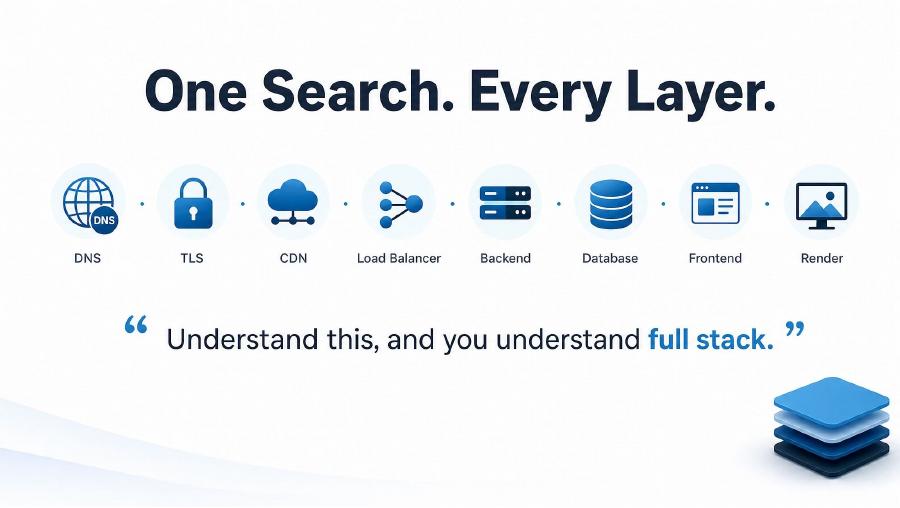
- DNS translates the domain name into an IP address.
- TCP and TLS establish a reliable, encrypted connection.
- Edge and CDN handle suitable traffic near the user.
- Load balancing selects a healthy server.
- Backend interprets the request and applies rules.
- Data systems find rankings, personalization, advertisements or cached results.
- Response travels back through protected infrastructure.
- Browser renders HTML, CSS and JavaScript.
Internet plumbing, in plain language.
| Concept | Simple meaning | Failure symptom |
|---|---|---|
| DNS | Name to network address | Domain cannot be resolved |
| TCP | Reliable ordered connection | Timeout or reset |
| TLS | Encryption and server verification | Certificate or handshake error |
| HTTP | Application request and response | 4xx or 5xx response |
| CDN | Cache suitable content near users | Slow or stale content |
| Load balancer | Route to healthy instances | Uneven load or failed requests |
Frontend is everything the user experiences.
HTML
Structure and meaning: headings, forms, buttons and tables.
CSS
Layout and presentation: color, spacing, grids and responsiveness.
JavaScript / TypeScript
Behavior: validate input, call APIs and update the screen.
const response = await fetch("/api/search?q=cloud");
const results = await response.json();
renderResults(results);
React and Angular organize complex screens, reusable components, routing and shared state. They organize HTML, CSS and JavaScript; they do not replace them.
Mobile uses the same backend through a different front door.
| Approach | Meaning | Examples |
|---|---|---|
| Native | Built for one platform | Swift for iOS, Kotlin for Android |
| Cross-platform | Shared code targets multiple platforms | Flutter, React Native |
| PWA | Installable web experience | Service worker, manifest, browser APIs |
The backend is the brain and trust boundary.
It validates input, verifies identity, authorizes actions, executes rules, coordinates data and returns stable responses.
| Ecosystem | Framework | Common use |
|---|---|---|
| Java | Spring Boot | Enterprise platforms and APIs |
| Node.js | Express, NestJS | Web APIs and real-time services |
| Python | Django, Flask, FastAPI | APIs, automation and AI |
| C# / .NET | ASP.NET Core | Microsoft-centered systems |
GET /api/orders/ORD-1042
  → authenticate caller
  → authorize access to this order
  → apply business rules
  → read permitted data
→ return a stable responseAPIs are the glue between layers.
GET /api/orders/ORD-1042
Authorization: Bearer <token>

HTTP/1.1 200 OK
Content-Type: application/json

{ "id": "ORD-1042", "status": "IN_TRANSIT" }
REST
HTTP resources and JSON. Common for public, web and mobile APIs.
gRPC
Typed binary contracts. Common for internal service-to-service calls.
The database is the memory of the system.
| Store | Strength | Example |
|---|---|---|
| Relational SQL | Relationships, constraints and transactions | Users, orders and payments |
| NoSQL | Flexible shape and specialized scale | Profiles, catalogs and sessions |
| Cache | Very fast temporary access | Sessions and computed responses |
Atomicity
All changes happen or none do.
Consistency
Constraints remain valid.
Isolation
Concurrent work avoids corrupt outcomes.
Durability
Committed data survives failure.
One bank transfer crosses every layer.
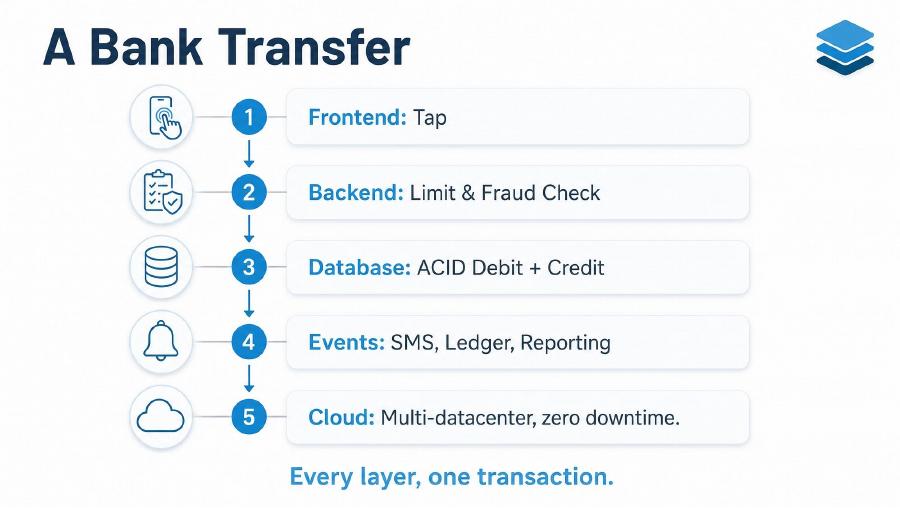
- Frontend: collect beneficiary and amount.
- Backend: validate identity, permissions, limits and fraud rules.
- Database: debit and credit atomically.
- Events: notify, update the ledger and feed reporting.
- Cloud: keep the system available and observable.
BEGIN;
debit account A;
credit account B;
record transfer;
COMMIT;Integration makes separate layers behave as one product.
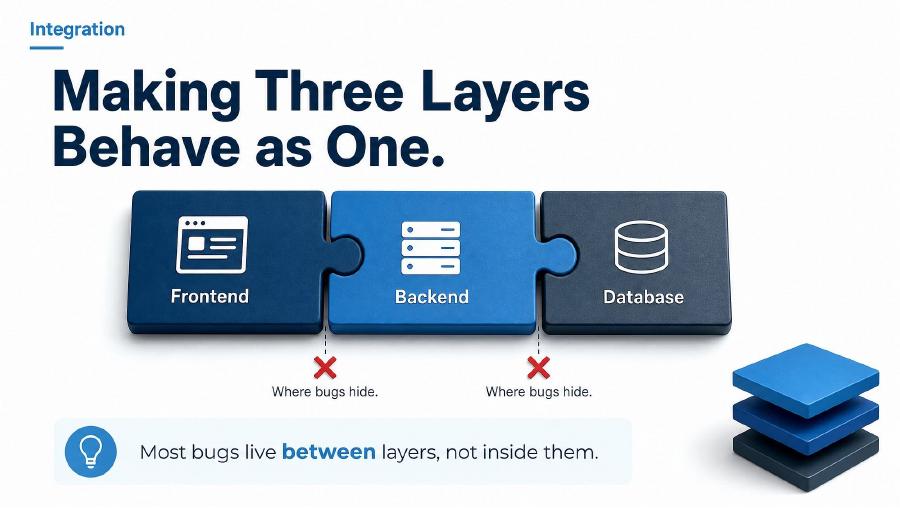
- The frontend sends a field the backend does not recognize.
- The backend breaks an existing response contract.
- A correct database query becomes slow at production scale.
- A timeout causes a retry and duplicates an order.
- Authentication succeeds but record-level authorization is missing.
Code runs on increasingly managed infrastructure.
| Model | Control | Operational work | Natural fit |
|---|---|---|---|
| Virtual machine | High | High | Legacy or OS-specific systems |
| Container | Application image | Medium | Portable APIs and services |
| Serverless | Function/runtime | Lower | Bursty event-driven work |
Docker
Packages code and dependencies into a repeatable image.
Kubernetes
Schedules containers, maintains replicas and supports rolling releases.
Cloud
Offers compute, storage, networks and managed platforms on demand.
Ship automatically. Watch continuously.
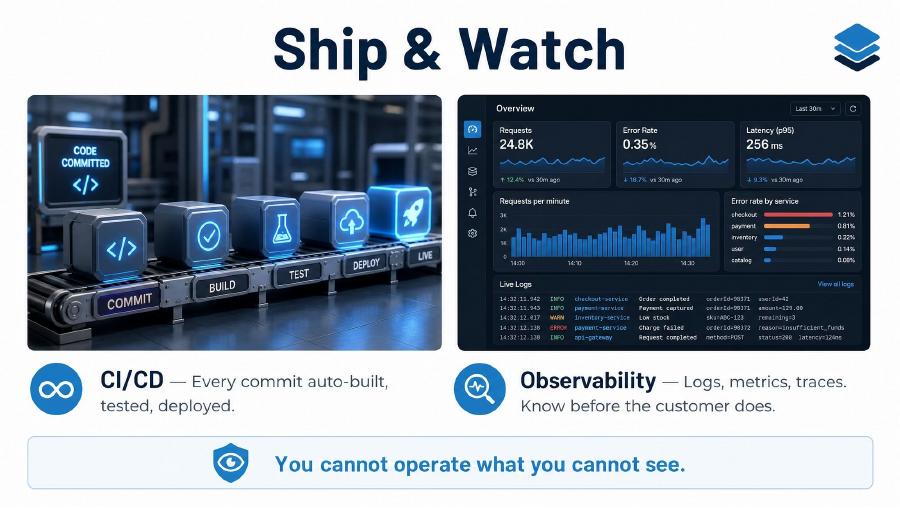
CI/CD
Build, test, scan and deploy each approved change repeatably.
Public plumbing
Domain, DNS, HTTPS, routing, load balancing and firewall protection.
| Signal | Question answered |
|---|---|
| Logs | Which event happened? |
| Metrics | How often, how much and how fast? |
| Traces | Where did one request spend time? |
Same skeleton. Different business.
| Product | Frontend | Backend | Data | Scale concern |
|---|---|---|---|---|
| Bank | Account screens | Limits, fraud, transfers | Accounts and ledger | Correctness and audit |
| Amazon | Cart and checkout | Inventory, price, payment | Orders and stock | Spikes and no overselling |
| Netflix | TV or mobile UI | Recommendations, playback | Catalog and activity | Global video delivery |
| Uber / Ola | Live mobile map | Matching, pricing, GPS | Locations and trips | Low-latency changing state |
The roadmap ahead.
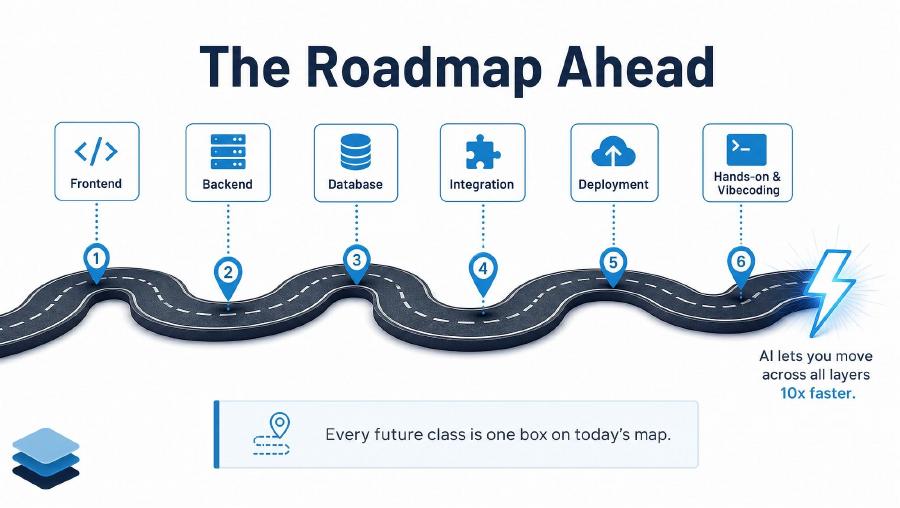
1–2. Build
Frontend experiences and backend capabilities.
3–4. Remember & connect
Database design, transactions, contracts and failure handling.
5–6. Run & improve
Cloud, deployment, observability and hands-on practice.
You now hold the whole map.
Review checklist
- Explain what happens after entering a URL.
- Distinguish frontend, backend, database and cloud responsibilities.
- Describe DNS, TLS, CDN and load balancing.
- Explain why the backend is a trust boundary.
- Read a simple HTTP request and JSON response.
- Distinguish relational data, NoSQL and caching.
- Explain why a bank transfer needs a transaction.
- Place Docker, Kubernetes, CI/CD and observability on the map.